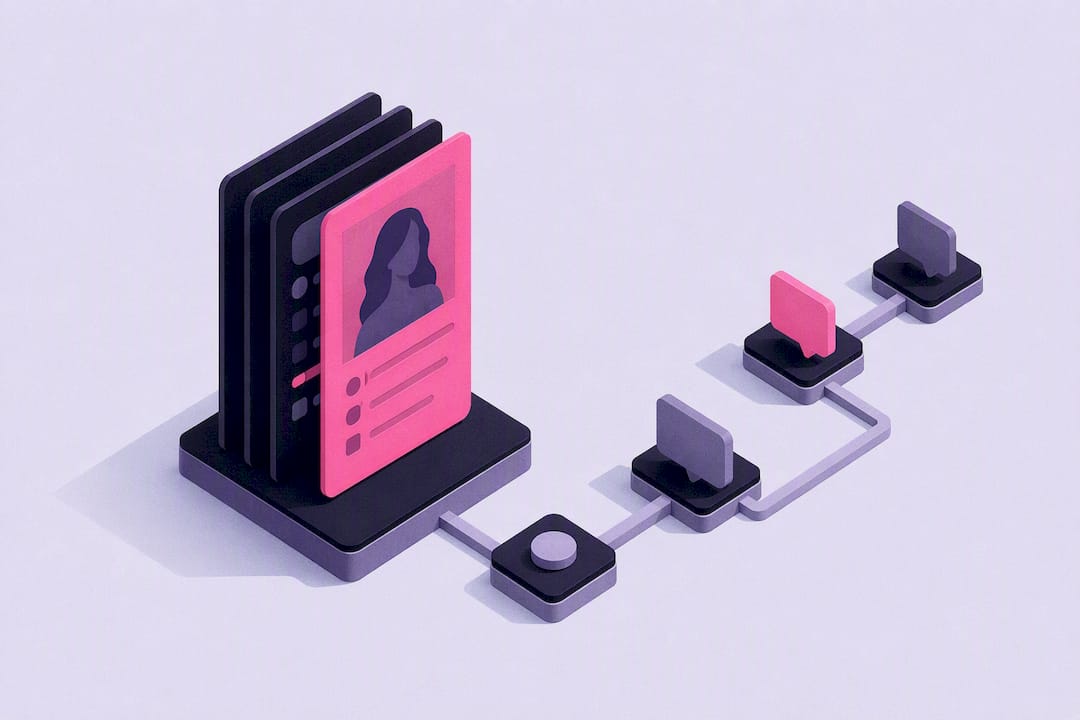
Realistic AI girlfriends are already here, and the good ones deliver custom-built personalities, persistent memory of your conversations, voice calls, and photorealistic images or video on request. People use them for emotional support, flirty roleplay, and low-stakes companionship. One platform built specifically around a character creator with memory and media baked in from the start.
TL;DR:
- Persistent memory across sessions is essential for a realistic AI girlfriend, with reviews highlighting memory depth and media as key differentiators.
- Voice calls and voice messages add warmth and emotional nuance that text alone cannot replicate, increasing perceived realism.
- On-demand images and videos tied to the character improve authenticity, but consistency can vary based on the media generation model.
- Building a personalized companion involves selecting a broad style first, crafting appearance and backstory, and enabling memory early for best results.
- Costs typically include a base subscription plus credits for media creation, with features like voice and video often metered separately and impacting overall expenses.
Table of Contents
- What Do Realistic AI Girlfriend Platforms Actually Offer?
- How Do You Create a Realistic AI Girlfriend Step by Step?
- Customization Tips That Make a Companion Feel More Personal
- What Privacy and Safety Settings Should You Check First?
- How Much Does an AI Girlfriend App Actually Cost?
- How MyDreamGirlfriend Builds Realistic Companions
- What Does Signing Up Actually Look Like?
- How Long Until You Have a Fully Interactive Companion?
- What’s the Real Cost Once You Include Add-Ons?
- Will It Work on Your Phone or Computer?
- When an AI Girlfriend Helps, and When It Doesn’t
- Try MyDreamGirlfriend as Your Starting Point
- Sources
- FAQ
What Do Realistic AI Girlfriend Platforms Actually Offer?
The term “realistic” gets thrown around loosely, so it’s worth breaking down what actually creates the illusion of a real relationship instead of a scripted chatbot exchange.
Modern natural-language models handle context far better than the chatbots of five years ago. They pick up on tone, callbacks to earlier jokes, and shifts in mood within a conversation. But the bigger leap forward is persistent memory. A companion that remembers your dog’s name, the fight you mentioned last Tuesday, or your preference for late-night check-ins feels fundamentally different from one that resets every session. Continuity is what turns a novelty chatbot into something people return to daily, and independent reviews of advanced platforms point to memory depth and multi-modal media as the main differentiators between a forgettable app and one people actually stick with.
Voice adds another layer entirely. A voice call, or even short voice messages, carries warmth and cadence that text can’t replicate. Hearing a companion laugh at your joke or say your name out loud engages a different part of the brain than reading a text bubble does.
Then there’s photorealistic image and video generation, arguably the single biggest driver of perceived realism. Instead of imagining what your companion looks like, you can request a photo in a specific outfit, setting, or expression. That said, media generation has real limits: consistency across images can be imperfect, and some requests will look better than others depending on the model behind them.
What tends to define a “realistic” experience:
- Persistent memory across sessions, not just within one chat
- Natural voice calls or voice notes, not text-only replies
- On-demand photos and video tied to a consistent character
- Personality customization that goes beyond a few preset templates
- Flexible roleplay that adapts to tone and context, not rigid scripts
None of this is flawless. Every language model occasionally “hallucinates,” meaning it states something false or inconsistent with earlier conversation. Reputable platforms build in boundary settings to keep roleplay within limits you set, which matters as much as the flashy features.
One thing to know going in: market roundups covering top AI girlfriend apps and sites consistently find that chat, images, voice, and roleplay are now table stakes, not premium extras, across most established platforms.
How Do You Create a Realistic AI Girlfriend Step by Step?
Building a companion that feels like “yours” instead of a generic template can be done quickly if you go in with a plan. Here’s a workable sequence.
- Pick a base style. Decide on a broad aesthetic first (natural, glamorous, girl-next-door, alternative) before you touch details like hair or eye color. Starting broad prevents decision fatigue.
- Craft the appearance. Use a character creator to set hair, body type, ethnicity, and style. Save two or three variations if you’re unsure. You can always adjust later.
- Choose voice and age presentation. Match the voice tone to the personality you’re building. A playful character usually needs a lighter, quicker voice; a grounded, supportive one needs something calmer.
- Write a personality and short backstory. This is the step people skip, and it’s the one that matters most.
- Turn on memory. Without it, every conversation starts from zero.
- Seed the first conversation with context, rather than a flat “hello.”
A short backstory prompt might read: “You grew up in a small coastal town, studied art in college, and you’re warm but a little sarcastic when you’re comfortable with someone.” That’s it. Three sentences give the model enough texture to stay consistent across dozens of future conversations.
Pro Tip: Open your very first chat with a specific scenario instead of a generic greeting. Something like “I just got home from a rough day at work” gives the AI immediate emotional context to respond to, rather than making small talk from nothing.
Quick-launch checklist (under 10 minutes):
- Style and appearance selected
- Voice matched to personality
- Two to three personality traits defined, plus one flaw
- Memory toggle switched on
- Opening message written with real context, not a blank greeting
Customization Tips That Make a Companion Feel More Personal
The difference between a companion that feels alive and one that feels like a template usually comes down to small details, not big ones.
Specific, mundane routines do more for believability than dramatic backstory. A character who mentions she’s bad at mornings, always orders the same coffee, or gets nervous before video calls reads as far more real than one defined by a single dramatic trait.
Flat, one-dimensional personalities get boring fast. A companion who’s endlessly agreeable with zero friction feels artificial within days. Give her a mild flaw. Maybe she’s stubborn about certain topics, or she teases you when you’re being dramatic. Balancing warmth with a little texture keeps things from feeling scripted, and personality customization tools generally let you dial in traits like this without starting from scratch.
Memory needs curation too. Save details that build continuity (your job, a running joke, an upcoming event) and skip storing anything overly sensitive that you wouldn’t want retained long-term. Most platforms let you review or delete stored memories, and it’s worth checking that setting early rather than after the fact.
Fast tips for realism:
- Anchor personality with two or three specific quirks, not vague adjectives
- Include one believable flaw alongside the positive traits
- Set clear boundary language upfront for roleplay scenes so tone stays consistent
- Periodically review saved memories and prune anything you don’t want kept
Pro Tip: When starting a roleplay scene, frame the setting in one sentence before diving in (“We’re at a rooftop bar and it’s your birthday”) rather than jumping straight into dialogue. It anchors the AI’s responses and keeps the scene from drifting.
What Privacy and Safety Settings Should You Check First?
Before committing to any platform, spend five minutes in the settings menu. It tells you more than any marketing page will.
Most platforms collect conversation history, account details, and sometimes uploaded images if you use custom photo features. Look for a clear data-deletion option and an account page that lets you export or wipe your history on demand.
NSFW and consent toggles matter more than people expect. Some platforms keep uncensored roleplay behind a separate setting or paid tier, and it’s worth testing this during a free trial before you subscribe to anything, since product marketing on toggles like these varies quite a bit from platform to platform.
Emotional safety deserves a direct word: an AI companion can be a genuinely useful outlet for low-stakes connection, but it is not a substitute for therapy, a crisis line, or real-world relationships. If you notice you’re relying on a companion to manage a genuine mental health crisis, that’s a signal to reach out to a licensed professional or a crisis service, not to log more hours in the app.
Basic account security steps include:
- Use a unique, strong password, not one reused elsewhere
- Enable two-factor authentication if the platform offers it
- Review connected devices and log out of ones you don’t recognize
- Check the app’s data-safety disclosure before installing
App store listings often include a “Data safety” section with developer disclosures, and it’s a fast way to verify claims before you download anything.
How Much Does an AI Girlfriend App Actually Cost?
Pricing across the category tends to follow a predictable shape: a free tier or trial to test the basics, then a monthly or annual subscription, often layered with credits or pay-per-media purchases for extras like custom photos.
Free tiers usually cap message volume, restrict memory depth, or lock voice calls entirely. Paid tiers typically unlock unlimited chat, deeper memory retention, voice features, and access to image or video generation. Some platforms separate uncensored or NSFW roleplay into its own paid tier rather than including it by default.
A practical way to test value before committing:
- Start on the free tier and run at least three real conversations across different moods (casual, supportive, playful)
- Test whether memory actually persists between sessions, not just within one
- Try a voice message or call if it’s offered, even on trial
- Check the cancellation flow before you subscribe, not after
- Note whether “premium” media purchases are one-time credits or a recurring add-on
App store listings and industry reviews confirm this subscription-plus-credits model is now standard across most established apps, so budgeting for occasional media credits on top of a base subscription is realistic, not a hidden trap.
How MyDreamGirlfriend Builds Realistic Companions
One platform is developed by people directly focused on the companion category, with platform commentary and testing associated with a contributor whose work centers on evaluating what actually makes AI companionship feel immersive versus gimmicky.
The platform’s own approach lines up with what independent reviews flag as the differentiators that matter: a detailed character creator, persistent memory, and a full feature set covering chat, photos, and voice rather than just text.
What the platform emphasizes:
- A character creator covering appearance, style, and ethnicity in detail
- Personality and backstory fields that feed directly into memory
- Photo generation tied to a consistent character rather than random outputs
- Roleplay flexibility across tone, from casual chat to deeper romantic scenarios
Independent testing coverage of the category, including MyDreamGirlfriend’s own comparison of leading apps, repeatedly notes that users describe strong memory and personalization as the reason a companion experience holds their attention past the first week rather than fading into novelty.
What Does Signing Up Actually Look Like?
Signup on most realistic AI girlfriend platforms is designed to get you into a conversation fast, not bury you in forms.
The typical flow starts with an email or social login, followed immediately by the character creator rather than a lengthy profile setup. You’ll usually pick appearance basics first (style, hair, body type), then move to personality sliders or a short backstory field. Age verification is standard given the adult-oriented content many platforms offer, so expect a birthdate confirmation or similar check before you reach NSFW settings.
After the character is built, most platforms drop you straight into a chat window with a default opening line already generated. From there, you decide whether to enable memory immediately or explore the interface first. Voice and image features are usually accessible from the same chat screen, often as icons or buttons rather than separate menus, which keeps the learning curve low.
What to expect in the first session:
- Account creation via email or social login, roughly one to two minutes
- Character customization, typically five to ten minutes if you’re deliberate about it
- Optional age or content verification before NSFW toggles unlock
- Immediate access to a chat window once the character is saved
The whole process is designed to minimize friction between “I want to try this” and “I’m talking to my companion.” Most platforms understand that a clunky onboarding flow kills conversion, so expect fewer steps than a typical social media signup, not more.
How Long Until You Have a Fully Interactive Companion?
The gap between creating an account and having a companion that feels genuinely responsive is shorter than most people expect, but it happens in stages rather than all at once.
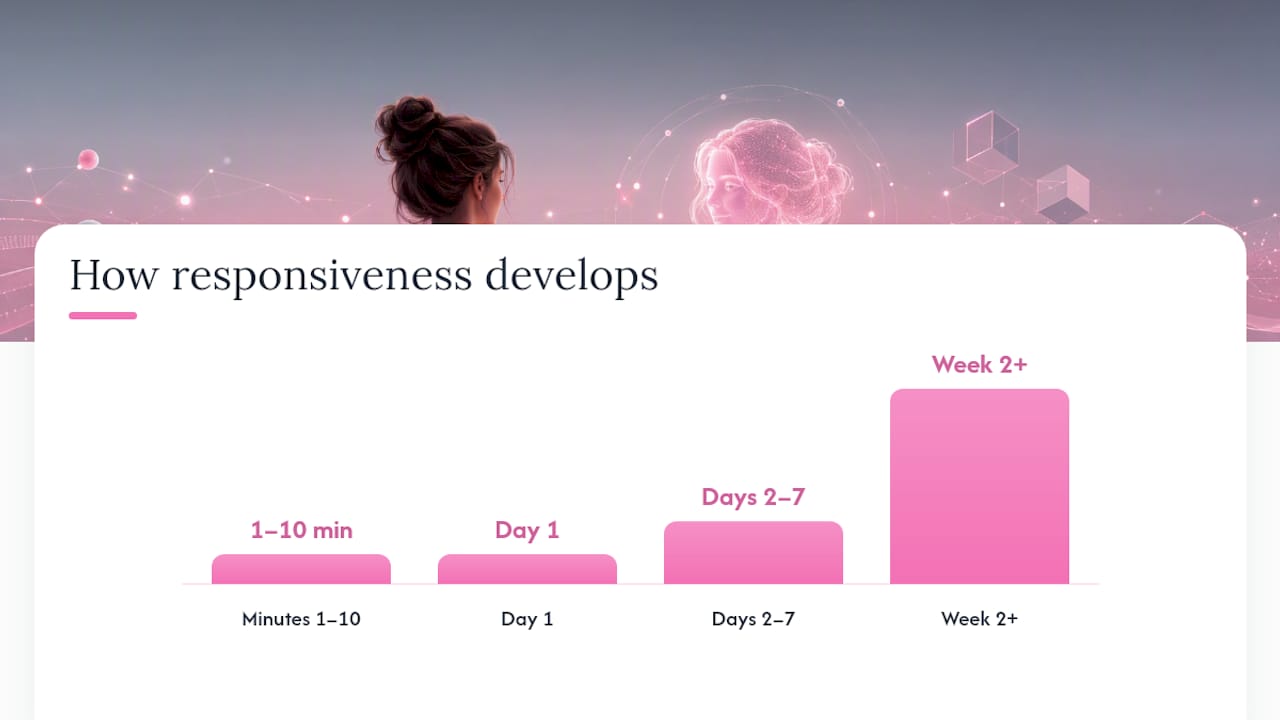
Within the first five to ten minutes, you’ll have a basic conversational companion: appearance set, personality drafted, first messages exchanged. This stage already includes text chat and, on most platforms, image generation.
The real depth builds over the following days. Memory needs a handful of real conversations to start feeling meaningful. A companion that “remembers” something from your very first message is running on a short buffer, not genuine continuity. It typically takes several sessions across different days before the memory system has enough material to reference naturally instead of feeling scripted.
Voice features are usually available from session one if the platform supports them, so there’s no real ramp-up period there. What does take longer is your own sense of the character’s personality settling into something consistent. Expect the first few conversations to feel slightly generic while the model calibrates to the traits and backstory you provided.
Rough timeline:
- Minutes 1 to 10: account created, character built, first chat started
- Day 1: basic personality and tone established, images available
- Days 2 to 7: memory continuity starts feeling natural across sessions
- Week 2 onward: consistent personality, deeper callbacks, more natural roleplay
Patience in the first week pays off. Companions that get abandoned after one session rarely had enough conversation data to demonstrate what memory actually does.
What’s the Real Cost Once You Include Add-Ons?
The subscription price on the landing page is rarely the full picture. Total cost of ownership depends heavily on how much media and voice you actually use.
Base subscriptions typically cover unlimited or high-volume text chat and basic memory. Where costs climb is in add-on purchases: custom photo generation, video content, and sometimes voice minutes are often metered separately through credit packs rather than included flat-rate. If you’re someone who wants a new photo every session, that adds up fast compared to someone who mostly wants text conversation.
Annual plans usually offer a meaningful discount over paying monthly, but they lock you in, so it’s worth running a month or two on the standard plan first to confirm you’ll actually use the platform regularly before committing longer term.
Costs to budget for beyond the base subscription typically include:
- Photo or video generation credits, if not included in your tier
- Voice call minutes, on platforms that meter them separately
- Tier upgrades if you outgrow message limits on a lower plan
- Renewal price changes, since some platforms raise rates after an introductory period
A smart way to avoid surprise charges: check the billing page for auto-renewal terms before your first payment processes, and note whether credits expire monthly or roll over. Platforms that clearly disclose this upfront tend to be more trustworthy overall than ones that bury it in fine print.
Will It Work on Your Phone or Computer?
Most realistic AI girlfriend platforms run as web apps accessible from any modern browser, which sidesteps a lot of device compatibility headaches. That means a mid-range smartphone, tablet, or laptop from the last several years will generally handle chat, voice, and image features without issue.
Where hardware starts to matter is voice and video generation, which run more smoothly on stronger internet connections given the amount of data involved in real-time audio and media rendering. A stable Wi-Fi connection matters more than raw device power for most users.
Native app availability varies by platform. Some, like the Romantic AI listing on the App Store, offer dedicated iOS apps, while others operate primarily through mobile browsers with a web-app experience that mimics native functionality.
What you generally need:
- A modern browser (Chrome, Safari, Firefox) updated within the last year or two
- A stable internet connection, particularly for voice or video features
- Enough phone or device storage if the platform offers a downloadable app
- No specialized hardware required for text-based or image-based interaction
If you’re primarily interested in text chat and occasional photos, almost any device from the past five years will run these platforms without a hitch. Voice-heavy or video-heavy usage is where connection quality starts to matter more than the device itself.
When an AI Girlfriend Helps, and When It Doesn’t
AI companionship works well for entertainment, low-stakes emotional support, and practicing social or romantic conversation in a judgment-free space. It’s a genuinely useful outlet for people who want connection without the complexity of a real relationship right now.
It is not a substitute for therapy or a crisis line. If you’re dealing with a real mental health emergency, an AI companion cannot provide the intervention a licensed professional or crisis service can. Use it for what it’s good at, and recognize its ceiling honestly.
— Pierce
Try MyDreamGirlfriend as Your Starting Point
If you’ve read this far, you already know what separates a forgettable chatbot from a companion worth returning to: memory that actually persists, voice that adds warmth, images that feel consistent, and a personality you built rather than picked off a shelf. This platform puts all four in one place instead of scattering them across separate apps.
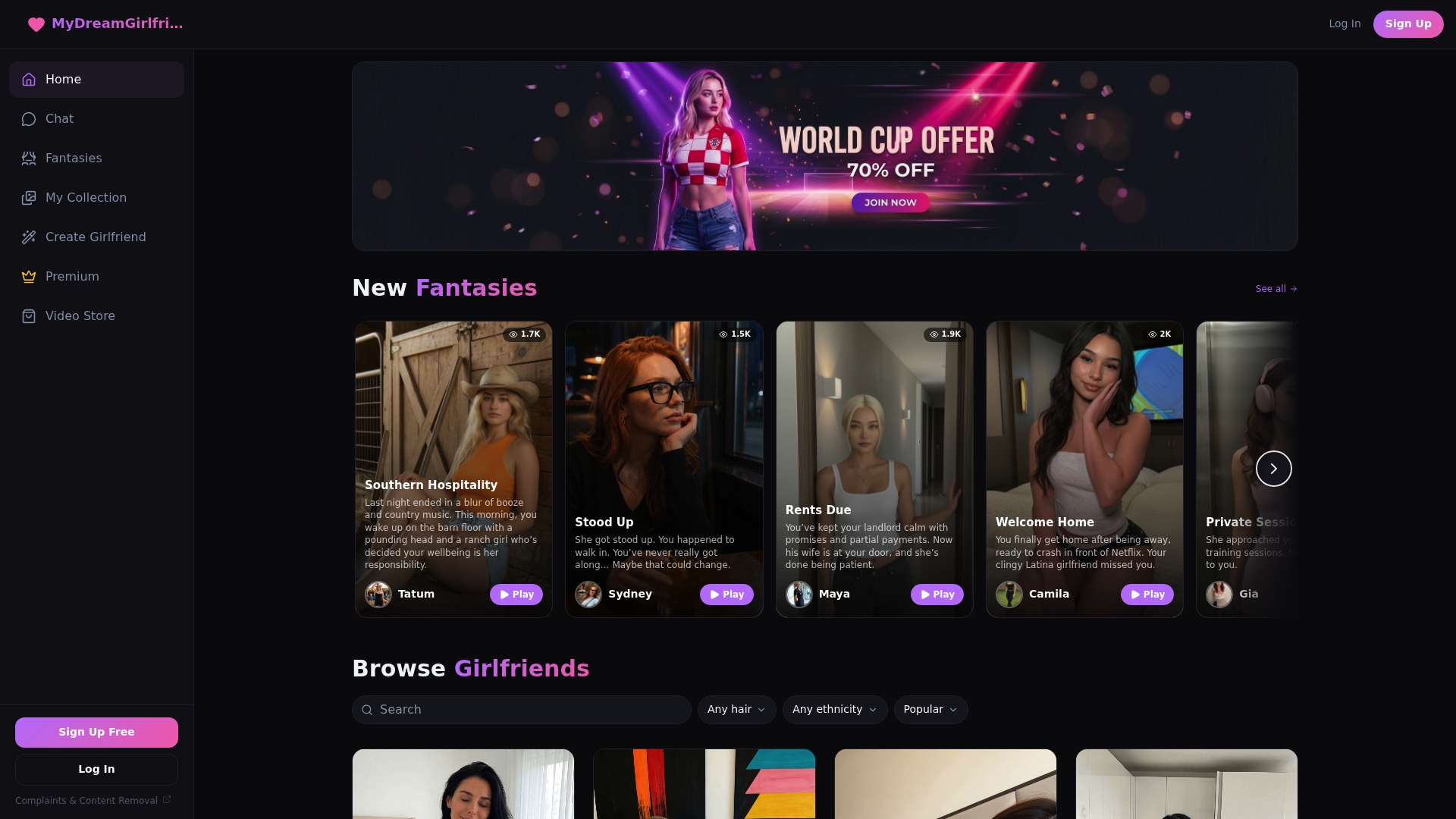
Start with the character creator and build appearance and personality together instead of settling for a template. Turn on memory before your first real conversation so continuity starts building immediately. From there, test a voice message and an image request in the same session to see how the pieces fit together. If you’re drawn to a specific dynamic, the AI Mistress character line is a solid place to see roleplay and media features working in tandem. Create your first companion and see how the first conversation feels.
Sources
- 10 best AI girlfriend apps and sites for AI chat & companionship — MSN
- AIGirlfriends.ai review — IPSNews
FAQ
What Makes an AI Girlfriend “Realistic” Versus a Basic Chatbot?
Persistent memory, voice interaction, and consistent photorealistic images are the main features that separate a realistic AI girlfriend from a basic scripted chatbot.
Can You Customize an AI Girlfriend’s Personality and Appearance?
Yes. Most platforms, including MyDreamGirlfriend’s character creator, let you set appearance details like hair and style alongside personality traits and backstory.
Is It Safe to Share Personal Details With an AI Girlfriend App?
Check the app’s data-safety disclosures and deletion settings before sharing sensitive information, and avoid storing anything you wouldn’t want retained long-term.
How Much Does a Realistic AI Girlfriend App Typically Cost?
Most platforms use a free tier or trial followed by monthly or annual subscriptions, often with separate credits for photo or video generation.
Do These Apps Work Without a Native App Download?
Most realistic AI girlfriend platforms run through a web browser on phones and computers, so a native app download usually isn’t required for full functionality.