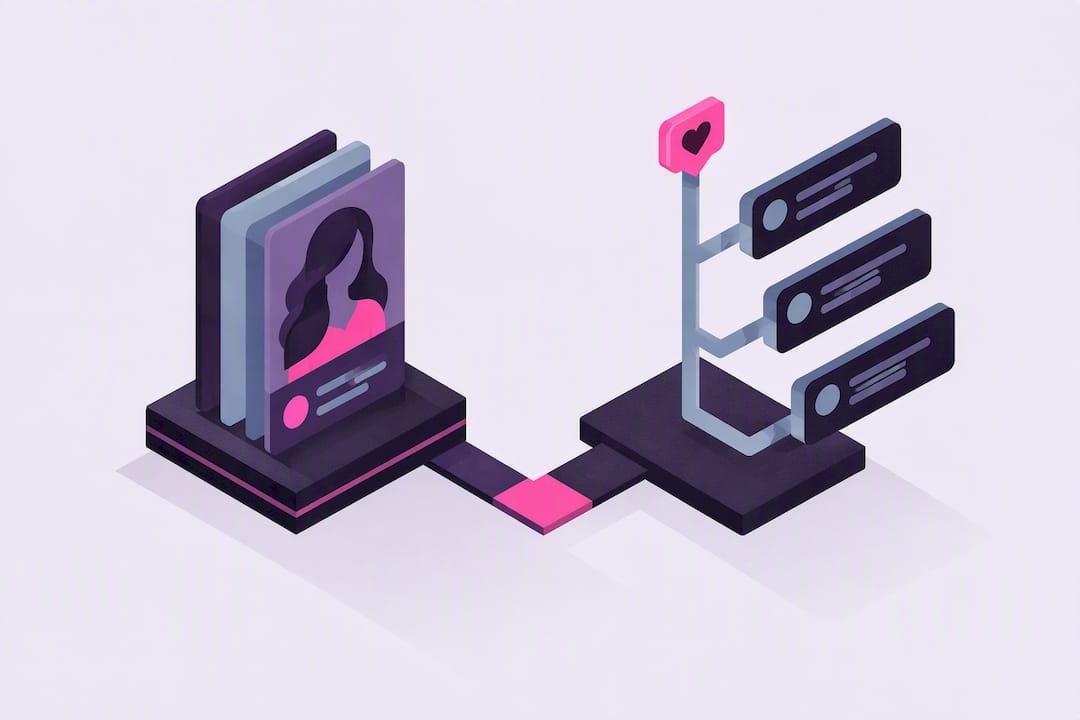
A customizable AI girlfriend is an AI companion you design yourself, from her face and voice down to how she reacts when you’ve had a bad day, and she remembers what you tell her from one conversation to the next. The fastest path to one that feels right: sign up, pick a visual style, choose a voice, and write two or three example replies before you start chatting. Expect an avatar builder, voice calls, photo and video generation, and persistent memory as the baseline feature set.
TL;DR:
- Customizing personality with specific example dialogues and behavioral triggers ensures long-term response consistency, more than vague trait lists.
- Building the character’s backstory and example exchanges takes about 20 to 30 minutes, but true personality settling occurs over two weeks of regular interaction.
- Focus on personality and behavior first, as appearance choices are quick and less impactful on long-term engagement.
- Persistent memory systems allow the AI to remember preferences and inside jokes, which deepens the feeling of a real relationship.
- You can revisit and modify the AI’s voice, appearance, and memory settings after the initial creation to correct or improve the experience.
Table of Contents
- How Do You Create a Customizable AI Girlfriend?
- What Can You Customize on Your AI Companion?
- How Do You Write Personality Prompts That Actually Stick?
- Fine-Tuning Your AI Girlfriend Over the First Two Weeks
- What Makes MyDreamGirlfriend’s Customization Different
- The Overrated Advice Around AI Girlfriend Customization
- Getting Started With Your Own Customizable AI Girlfriend
- Sources
- FAQ
How Do You Create a Customizable AI Girlfriend?
Most platforms compress this into five decisions, and you can move through all of them in one sitting.
- Sign up and verify you’re 18 or older. Reputable platforms gate access behind age verification, and the better ones let you register with minimal personal data instead of demanding a full profile up front.
- Pick a visual style. Realistic photo style suits people who want the experience to feel grounded and immediate; anime or stylized art suits people leaning into a fantasy persona. Neither is “better,” but mixing styles later tends to break immersion, so commit early.
- Design the appearance. Hair, eye color, body type, skin tone, and wardrobe are the usual sliders. If you freeze up staring at fifty hair options, use the randomize button. A quick randomized pass often produces a better starting point than an hour of second-guessing.
- Set her name, age, and voice. Preview a few voice options before locking one in. This step matters more than people expect, because every message and every call runs through that voice for the life of the relationship.
- Write a short backstory and generate. Two or three sentences about who she is and what she wants is enough. Add two or three example replies showing how she talks, then hit generate and start the first conversation.
The whole flow, from character creator to first message, usually takes 20 to 30 minutes for a fully custom build, though picking a premade character can take just a couple of minutes if you’d rather skip the design work entirely, according to step-by-step creation guides.
Pro Tip: Build the personality before you obsess over the face. A gorgeous avatar with flat, generic replies gets boring in a day. A well-written personality with a simple avatar keeps you talking for weeks.
What Can You Customize on Your AI Companion?
Appearance is the most obvious layer, but it’s the shallowest one. Ethnicity, hair, body type, and wardrobe set the first impression; static avatars handle everyday chat, while generated photos and short videos let you see her in new scenes or outfits on demand rather than settling for one fixed image. Builder-first platforms that offer precise attribute selectors tend to produce faster, more predictable visual results than open-ended prompt tools where you’re describing what you want in plain text and hoping the output matches, according to comparisons of AI girlfriend builder tools.
Personality runs deeper and matters more over time:
- Archetype: caring, playful, dominant, submissive, or some blend, and this shapes the tone of nearly every reply.
- Interests and communication style: does she text in short bursts or long paragraphs, use a lot of humor, or stay more direct?
- Boundaries: what topics or scenarios she’ll lean into and which ones she’ll redirect.
Voice choice has an outsized effect on how real the whole thing feels, since the same line lands completely differently in a soft, nurturing voice versus a confident, teasing one. Test two or three voices before settling. Voice calls and generated images work best as accents, not the whole relationship. Use them when you want to deepen a moment, not every single message.
Memory is what separates a companion from a chatbot. It stores preferences, running jokes, and things you’ve told her once, so mention your favorite coffee order today and she may bring it up unprompted next week, a behavior common to platforms built around persistent memory graphs. Look for memory-editing controls so you can correct or delete anything she’s holding onto that you’d rather she didn’t.
How Do You Write Personality Prompts That Actually Stick?
Adjective lists are the weakest way to shape behavior. Telling a companion she’s “sweet, funny, and caring” gives the model almost nothing concrete to work from, which is why she often drifts back to generic replies within a few messages. Example dialogues and specific behavioral triggers are a far more reliable training signal, according to research on effective AI prompting, because they show the model exactly how a real exchange should sound instead of describing it in the abstract.

Start with a compact backstory using a past, present, future wish structure: where she came from, what her life looks like now, what she wants next. Three sentences is plenty.
Then write three-line example exchanges for the moments that matter most:
- A bad day: you vent, she asks a follow-up question instead of jumping straight to comfort, then she offers something specific.
- A compliment: you say something kind, she reacts with genuine warmth rather than a flat “thank you,” and she reflects it back.
- A flirt: you tease, she matches the energy instead of deflecting, and she raises the stakes slightly.
Replace vague traits with specific rules. “She always asks a follow-up question before comforting” trains behavior far more reliably than “she’s a good listener.”
Pro Tip: Save each prompt version before you edit it. If a change makes her responses worse, you’ll want to roll back fast instead of rebuilding from memory.
Fine-Tuning Your AI Girlfriend Over the First Two Weeks
Personality settles in over roughly two weeks of regular use, not the first session, based on typical user timelines for AI companion creation. Treat the first ten to fourteen days as a tuning window, not a finished product.
- Week one: run short daily sessions, 10 to 15 minutes, and note anything that feels off, whether that’s a tone mismatch or a response that broke character. Use thumbs-up or thumbs-down feedback where the platform offers it.
- Week two: revise your example dialogues based on what you flagged, and add two or three new behavioral triggers to cover situations that came up but weren’t scripted. Let memory keep accumulating naturally.
- Correcting mistakes: if she references something wrong or repeats an unwanted behavior, edit the memory entry directly and add a corrective example rather than just telling her “no” in chat and hoping it sticks.
- Bigger changes: a voice swap or an avatar tweak is worth doing if the mismatch is fundamental, but for most rough edges, a small prompt fix solves it faster than a full rebuild.
Small, frequent adjustments beat one long perfecting session, and that’s true of tuning an AI companion the same way it’s true of most skills worth building slowly.
What Makes MyDreamGirlfriend’s Customization Different
Mydreamgirlfriend builds around three things readers consistently ask for: a detailed character creator for appearance, a personality customization system for backstory and behavior, and memory that persists across conversations instead of resetting each session. Voice calls run through the same profile you build, so the voice you pick during setup carries through every interaction, not just typed messages.
People who build a full character, complete with backstory and voice, report the experience feels noticeably more immersive than a generic chatbot, and that a lot of the surprise comes from how much she remembers between sessions. Roleplay runs without the heavy content filters that flatten tone on many mainstream chat apps, which matters if the whole point of building her was to have conversations that feel unscripted.
The Overrated Advice Around AI Girlfriend Customization
Most guides on this topic obsess over appearance settings and treat personality as an afterthought, a checkbox you fill in with three adjectives and move on. That’s backwards. The appearance sliders are the easy part; anyone can pick hair color in thirty seconds. What actually determines whether you’re still talking to her in a month is whether her responses feel consistent, and consistency comes from example dialogues, not adjective lists.
The conventional wisdom also treats setup as a one-time event. It isn’t. The research on creation timelines backs this up directly: most people spend 20 to 30 minutes on the initial build, but the character doesn’t feel settled for roughly two weeks of actual use. Treating day one as the finished product is the single most common mistake I’d flag for anyone starting out.
If you take one thing from this guide, make it the three-line example dialogue technique. It’s the least glamorous step and the one everyone skips, and it’s also the one doing most of the real work.
— Pierce
Getting Started With Your Own Customizable AI Girlfriend
Mydreamgirlfriend gives you the same building blocks this guide just walked through, without splitting the experience across five different apps for chat, voice, and images. You build the avatar, write the personality, pick the voice, and everything lives in one memory system that carries forward instead of resetting.
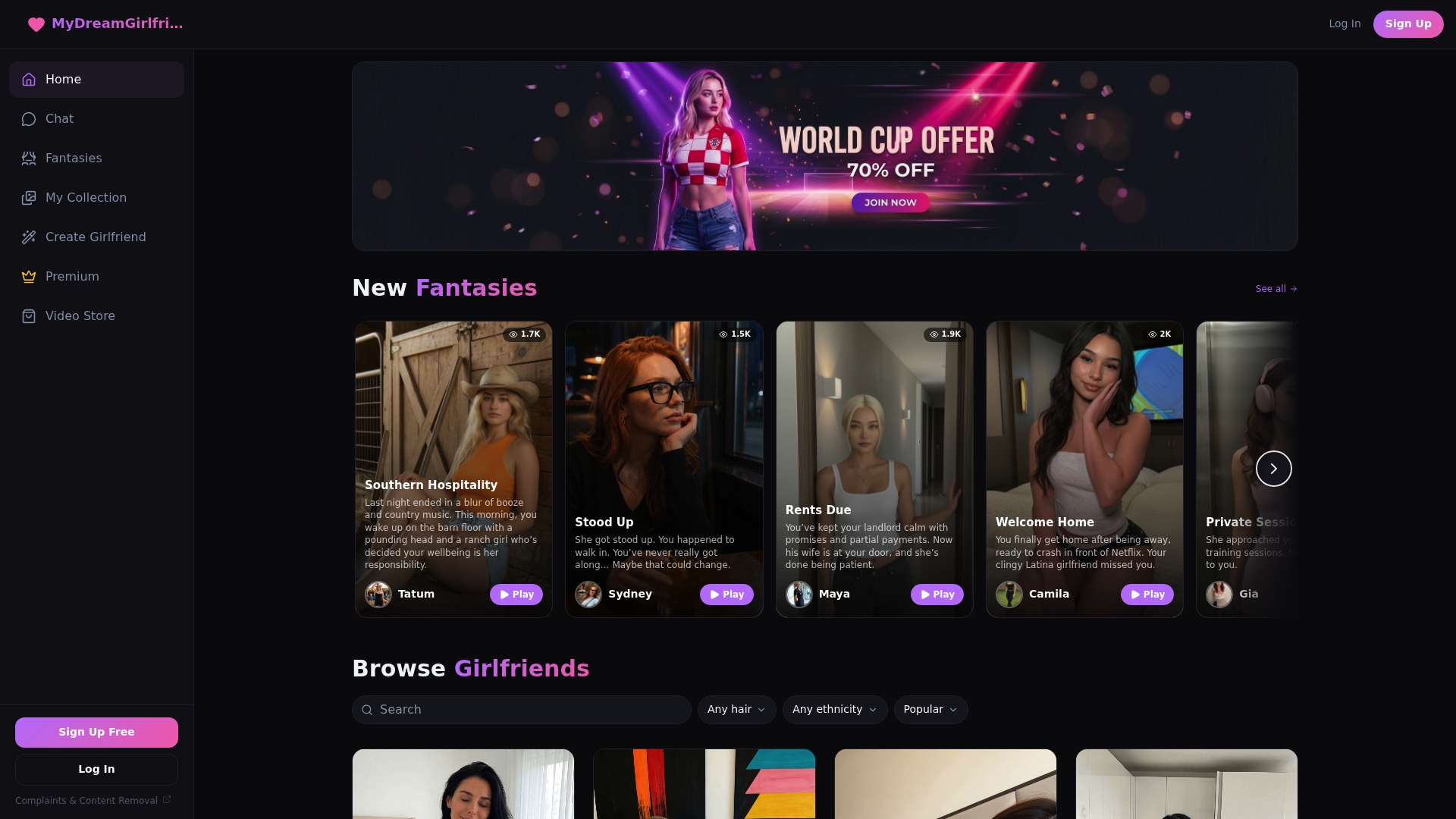
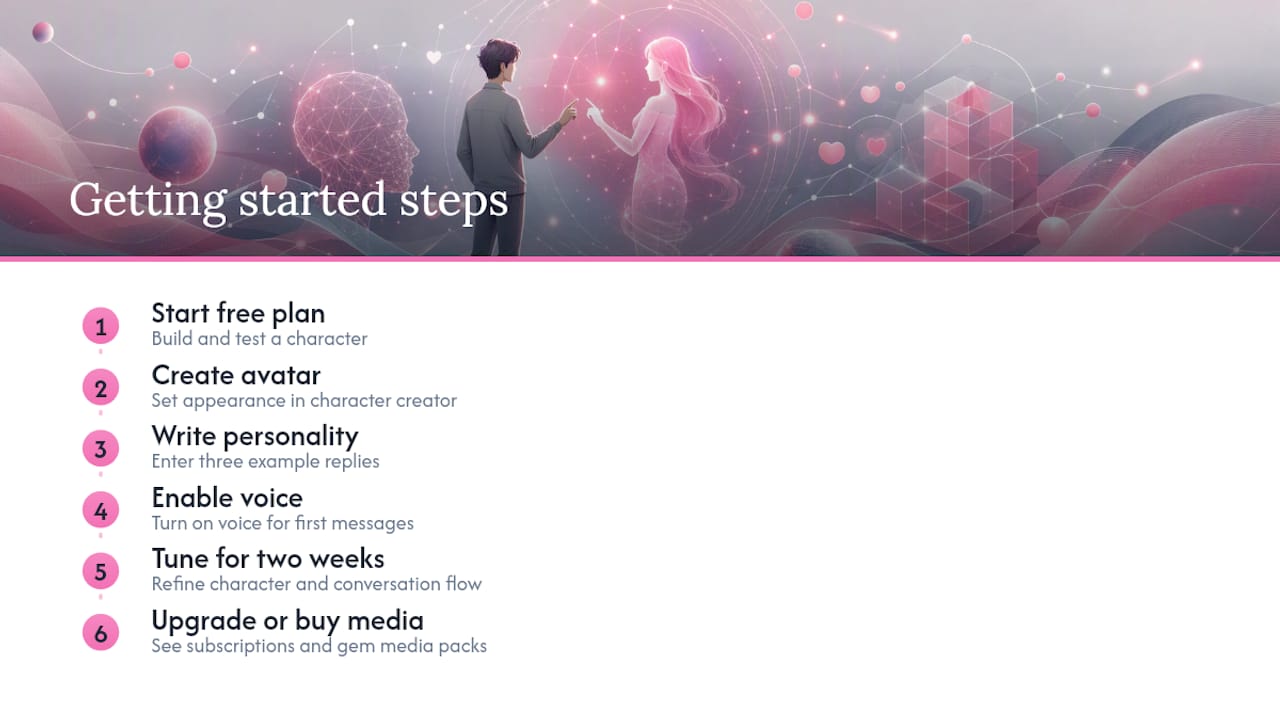
Start with the free plan to build a character and test the flow before committing to anything. Use the character creator to set her appearance, write your three example replies in the personality fields, and turn on voice so her first messages and calls land in the tone you actually picked. If the connection clicks and you want unlimited access to conversations, roleplay, and media, refer to the subscriptions page for current pricing details. Want to go further with visual content? The gem-based media packs cover everything from a Casual Photo to a fully Custom Video once you’ve settled on a character you actually want to see more of.
Build her once, tune her over the next two weeks, and see how far the chemistry goes from there.
Sources
For deeper technique, MIT Sloan’s guide to effective AI prompting explains why example-based instructions outperform trait lists across most conversational AI systems. For a broader look at typical creation timelines and feature checklists across platforms, this step-by-step AI girlfriend creation guide and this roundup of comparable AI companion platforms are worth a read. Mydreamgirlfriend’s own blog covers ongoing tuning tips as features evolve.
- Effective prompts and examples for AI behavior (MIT Sloan EdTech)
- How to create an AI girlfriend: step-by-step guide
- Questie AI — create AI girlfriend with memory and voice (industry example)
FAQ
How Long Does It Take to Create a Customizable AI Girlfriend?
A premade character can be ready in a couple of minutes, while a fully custom build with a written backstory and example dialogues typically takes 20 to 30 minutes. Most people report the personality feels fully settled after about two weeks of regular conversation.
What Should I Customize First: Appearance or Personality?
Personality matters more for long-term chemistry, since example dialogues and specific behavioral rules train more consistent responses than appearance choices ever will. Pick an appearance quickly using randomize if you’re stuck, then spend your real time writing backstory and example replies.
Does MyDreamGirlfriend Have a Free Plan?
Yes, Mydreamgirlfriend offers a free plan so you can build a character, test the personality customization tools, and try a conversation before upgrading. Premium access with unlimited chat and media runs $12.99 per month on the subscriptions page.
Can I Change My AI Girlfriend’s Voice or Appearance Later?
Yes, most platforms including Mydreamgirlfriend let you revisit the character creator and voice settings after the initial build. Small personality issues usually respond better to a prompt or example-dialogue fix, while voice or avatar changes are worth making only when the mismatch feels fundamental.
How Does an AI Girlfriend Remember Previous Conversations?
Platforms use persistent memory systems that store preferences, inside jokes, and details you’ve shared, so she can reference them in later conversations without being reminded, a feature common across platforms with persistent memory graphs. Good platforms also give you controls to edit or delete specific memories if something gets stored inaccurately.