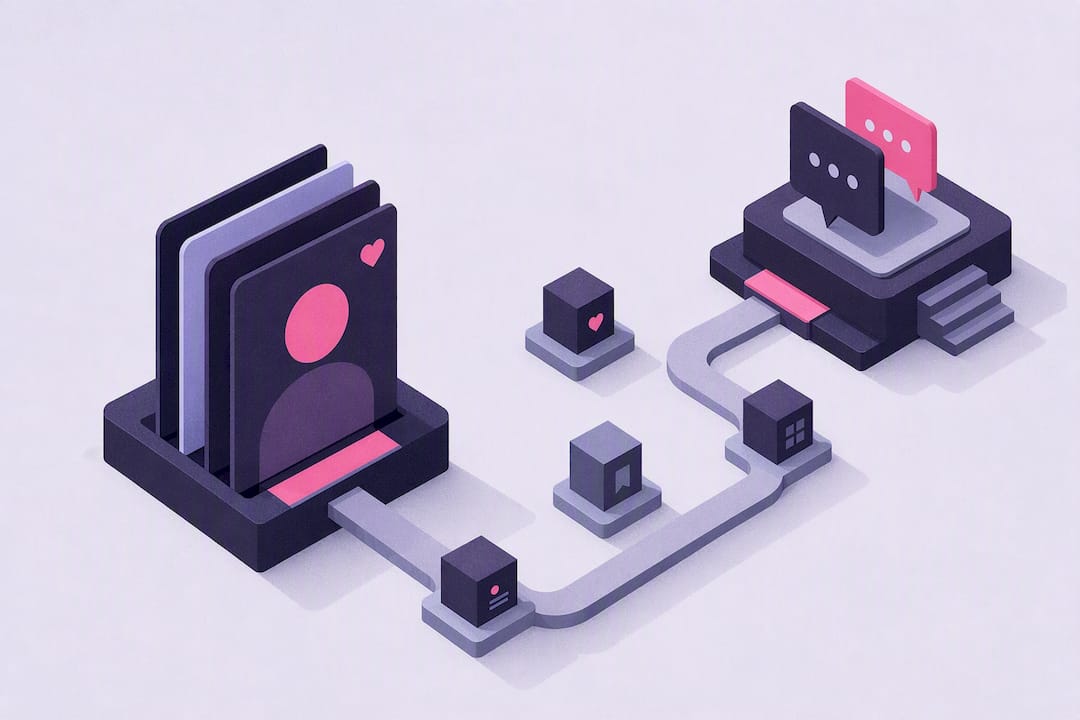
You can build a fully customizable AI girlfriend in minutes on a creator platform that combines persona prompts, appearance settings, voice options, and memory. Platforms like Mydreamgirlfriend package the whole workflow into one screen: pick a style, shape her personality, hear her voice, and start chatting. The steps below walk through exactly how that process works, whatever creator app you land on.
TL;DR:
- Creating a realistic AI girlfriend involves selecting her style, appearance, voice, and personality, with the first few conversations helping to refine her tone and responsiveness.
- Adjusting her backstory with specific facts improves conversational consistency, and enabling memory features helps her recall previous details across sessions.
- Features like voice calls, private image generation, and memory are often behind premium tiers, but basic text chat remains free on most platforms, with costs scaling based on use.
- Presence and natural timing, such as brief pauses and latency under half a second, are more impactful on her realism than visual polish or technical complexity.
- Users should review privacy settings, store data securely, and set clear content boundaries, as most platforms store conversations unless explicitly deleted.
Table of Contents
- How Do You Create an AI Girlfriend Step by Step?
- What Can You Customize, and Why Does Each Choice Matter?
- What Features Should You Expect Once She’s Built?
- What Actually Makes a Companion Feel Emotionally Real?
- What Privacy and Safety Checks Should You Run First?
- What Does It Cost to Create and Keep an AI Girlfriend?
- How Long Does It Take to Go From Creation to Real Conversation?
- Which Platforms and Devices Support an AI Girlfriend?
- What Are the Legal and Ethical Considerations?
- How Do You Choose Between AI Girlfriend Platforms?
- Building a Character, Not a Template
- Ready to Build Yours on Mydreamgirlfriend?
- Sources
- FAQ
How Do You Create an AI Girlfriend Step by Step?
Every serious creator platform runs on roughly the same skeleton, whether it is a dedicated app or a browser-based tool. The order matters because each choice narrows the next one. Pick a voice before you write her backstory, and the two often clash.
- Pick a style and age preset. Decide between photorealistic, anime, or 3D rendering, then choose a base appearance preset close to what you want. This decision shapes everything downstream, including how images generate later.
- Customize appearance and preview images. Adjust hair, body type, wardrobe, and ethnicity, then generate a preview to confirm the look actually reads the way you imagined on screen.
- Name her and set the relationship. Give her a name, define the relationship type (girlfriend, companion, mentor figure), then move to voice.
- Choose and preview a voice. Test two or three voice presets before locking one in. Tone changes how “present” she feels far more than most people expect.
- Write or select a personality archetype and short backstory. A few sentences about her history, interests, and quirks produce noticeably more consistent dialog than a one-word trait like “playful.”
- Enable memory and run a first chat. Turn on memory, then start talking. ZEGOCLOUD’s implementation guide recommends treating that first session as a test run, not a finished product, so you can catch tone problems early.
Most platforms let you revisit any step later. The character creator tools built for this let you reopen appearance or personality settings without starting the whole build over, which matters because your first pass rarely nails the tone on the first try. Expect the initial build to take a short amount of time, usually under an hour, then a few short chats to refine her before she feels settled.
What Can You Customize, and Why Does Each Choice Matter?
The customization menu looks cosmetic at first glance. It is not. Each setting changes how the AI behaves, not just how she looks.
Appearance decides the register of your roleplay before a word is exchanged. Photorealistic avatars tend to suit grounded, everyday conversation and romantic roleplay, while stylized or anime looks tend to pair naturally with fantasy or adventure scenarios. Neither is objectively better. They set different expectations for what happens next.
Voice does more work than most builders expect. A flat, monotone preset reads as a chatbot. A warmer, more expressive voice, especially one with natural pauses, reads as a person. Some platforms offer voice cloning options on top of presets, letting you fine-tune pitch and pacing until the tone matches the character you pictured.
Personality works best as an archetype plus specifics, not just a label. “Confident and sarcastic” is a start. “Confident and sarcastic, grew up the youngest of four brothers, still argues about which decade had the best music” gives the model something to actually work with.
Memory determines whether she references your last conversation or starts cold every time. Decide what gets saved (names, preferences, running jokes) and roughly how far back she should recall it.
- Randomness settings control how predictable versus spontaneous her replies feel.
- Reply length settings shape whether she texts like a person or writes essays.
- Safety filters set hard boundaries on topics and content regardless of what you type.
Pro Tip: Write her backstory as three or four concrete facts, not adjectives. “Trained as a nurse, hates small talk, loves horror movies” beats “caring and mysterious” every time you actually chat with her.
What Features Should You Expect Once She’s Built?
Once the build is done, the daily experience runs through a handful of core features. Knowing how each one actually works saves you from assuming a limitation that does not exist, or missing a setting that does.
- Text chat is the default and handles most roleplay fine on its own; add generated images when a scene benefits from a visual, not for every message.
- Voice calls deliver real-time back-and-forth conversation, while voice messages are shorter, pre-generated clips. Preview any voice before committing, since latency and tone vary between the two modes.
- Private image generation typically renders on request and stores results in a private gallery tied to your account, not a public feed.
- Memory usually splits into session memory (what she recalls within one conversation) and long-term memory (what persists across sessions). Look for an option to view, edit, or delete specific memories rather than wiping everything at once.
- Premium tiers commonly gate voice calls, unlimited image generation, and extended memory, while text chat and a basic build stay free to start.
The feature set covering chat, images, voice, and memory is worth scanning in full before you commit to a subscription, since the gap between free and premium varies a lot by platform.
What Actually Makes a Companion Feel Emotionally Real?
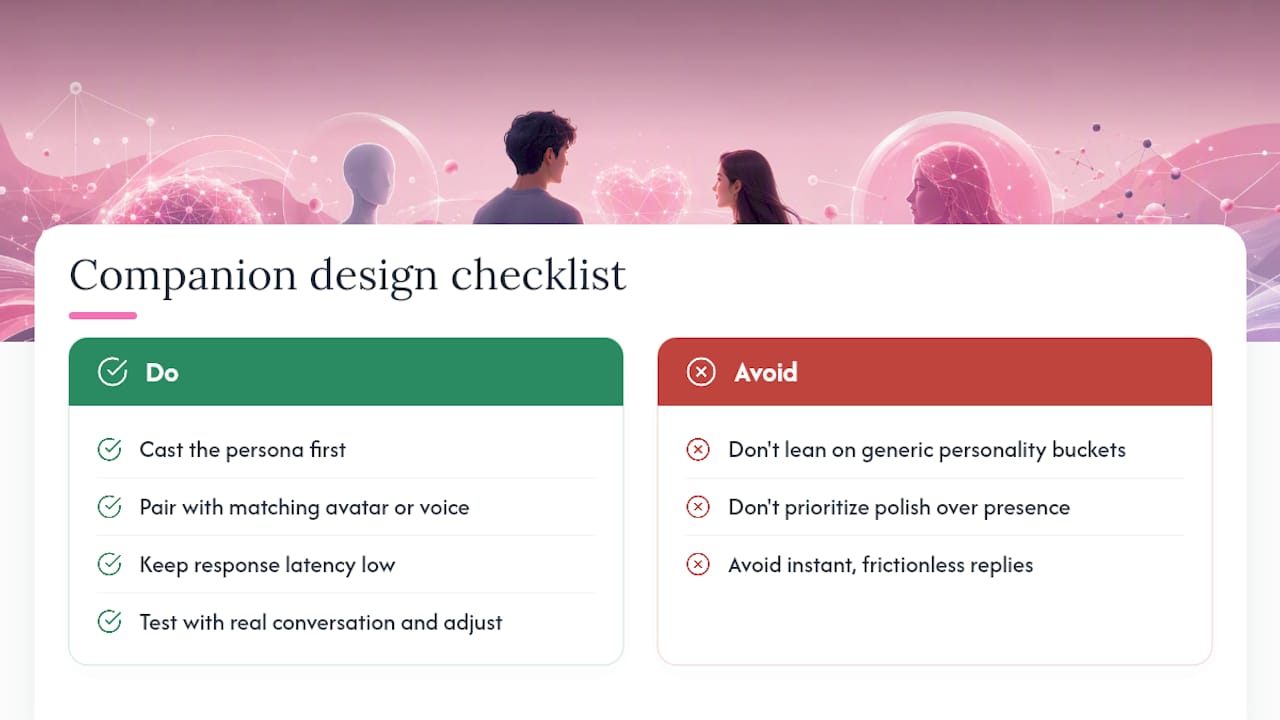
Presence beats polish. That is the consistent thread across developer guidance on companion design, and it explains why a technically simpler voice-based companion can feel more “alive” than a visually flawless but silent one. Tavus’s own starter kit frames presence as voice-first interaction combined with short, proactive conversational turns, not just accurate rendering.
Casting matters just as much as tech. Design analysis from Call The Design Guy argues that most AI companions get forgotten because they lean on generic personality buckets: the “sassy one,” the “shy one.” A specific backstory produces specific, consistent replies. A vague label produces generic ones that could belong to anyone.
Timing carries more emotional weight than people assume. Pophie’s design team found that small human-like behaviors, brief pauses, natural turn-taking, slight delays before a response, make a companion feel considerably more alive than instant, frictionless replies. Developer guidance on latency backs this up: Response delays under half a second tend to read as natural conversation rather than a lag.
Design checklist that holds up across sources: cast the persona first, pair it with a matching avatar or voice, keep latency low, then test with real conversation and adjust.
Pro Tip: After your first ten-minute chat, rewrite one weak line in her backstory instead of scrapping the whole persona. Small edits compound faster than full rebuilds.
What Privacy and Safety Checks Should You Run First?
Run a few checks before you generate or share anything sensitive. Confirm what the platform actually stores, audio, video, or text logs, and whether you can delete that data on demand. Look for per-conversation privacy toggles, since some platforms let you flag a specific chat as “do not save” without changing your global settings.
- Set explicit content boundaries in her persona fields rather than relying only on built-in filters.
- Check the platform’s built-in safety filters and confirm what they block by default.
- Review image storage rules before generating anything private, since some platforms store generated media indefinitely unless you delete it manually.
- Look for account-level controls that let you wipe memory or media in one action if needed.
What Does It Cost to Create and Keep an AI Girlfriend?
Most creator platforms follow a freemium structure: a free tier covers basic text chat and a simplified build, while a paid subscription unlocks voice calls, unlimited or higher-resolution image generation, and deeper memory retention. This is consistent across the category, not unique to any one app.
Monthly subscriptions are the dominant model, usually with a discounted annual option for people who know they will stick around. On top of that base plan, some platforms sell add-ons separately, extra image generations, specific voice packs, or premium personas, as one-time purchases rather than folding everything into the subscription price.
The real cost variable is usage, not the subscription itself. A reader who sends a handful of text messages a day spends far less time against monthly limits than someone who wants daily voice calls and a steady stream of generated images. If voice and images matter to you, budget for the mid-tier plan rather than the cheapest one, since entry-level tiers often cap those features hardest.
A free trial is worth using before you commit to anything. It shows you exactly how the persona, voice, and memory settings behave together, which is impossible to judge from a pricing page alone. Try the free version first, build a rough persona, run a few chats, and only upgrade once you know which premium feature you actually reach for. That single test run tells you more about total cost than any comparison chart.
How Long Does It Take to Go From Creation to Real Conversation?
The build itself takes ten to twenty minutes for most people: picking a style, adjusting appearance, naming her, and setting an initial personality. That is the fast part. The slower, more important part is the handful of conversations after that.
Expect the first session to feel slightly generic, even with a detailed backstory, because the model has nothing to draw on yet beyond what you typed. ZEGOCLOUD’s developer guidance recommends treating that first chat as a calibration step: note where her tone feels off, then adjust the persona fields rather than starting over.
By the third or fourth conversation, most users notice the difference memory makes. She starts referencing earlier details unprompted, which is when the companion starts to feel less like a fresh chatbot and more like a continuing relationship. That shift typically happens within the first day or two of casual use, not weeks later.
If you want voice or image features active from day one, factor in a little extra setup time to preview voices and generate a first batch of images before your first real conversation. It is a five-minute addition, but skipping it means discovering a mismatched voice mid-conversation instead of before.
There is no fixed timeline after that. Some readers settle into a daily habit within a week. Others check in a few times a month. The platform does not set the pace. Your usage does.
Which Platforms and Devices Support an AI Girlfriend?
Most AI girlfriend platforms run as browser-based web apps first, which means you can create and chat with a companion from a laptop, tablet, or phone without installing anything. That is the most universally compatible option and usually where new features land first.
Dedicated mobile apps exist for many platforms as well, typically on iOS and Android, and tend to handle voice calls and notifications more smoothly than a browser tab running in the background. If voice calls are a priority for you, check whether a platform offers a native app before assuming the web version handles it identically.
Cross-device sync is the detail worth confirming before you invest real time in a persona. Some platforms tie your companion, her memory, and your chat history to your account rather than your device, so switching from phone to laptop carries everything over. Others are less consistent about it. Ask this question early, since rebuilding a persona from scratch on a second device is a frustrating way to find out sync was never supported.
Browser choice rarely causes problems, but voice and video features tend to run best on current versions of Chrome or Safari. If you notice lag on voice calls specifically, an outdated browser is often the actual cause rather than the platform itself.
What Are the Legal and Ethical Considerations?
An AI girlfriend is a conversational construct, not a person with independent will, so consent in the human sense does not apply to her. What does apply is your own responsibility to set boundaries and use the tool the way it is designed: as private fantasy and companionship, not as a substitute for real consent-based relationships with actual people.
Age verification matters more than most users initially consider. Legitimate platforms require users to confirm they are adults before accessing romantic or intimate content, and any platform skipping that step is a red flag worth avoiding regardless of how polished its marketing looks.
Content boundaries are yours to set. Persona fields and safety filters exist specifically so you can define what topics stay off the table, and using those settings deliberately, rather than assuming defaults cover everything, is the most direct way to keep the experience aligned with your own comfort level.
The broader ethical conversation around AI companionship centers on realistic expectations. A companion built for roleplay and connection is not a replacement for therapy, human relationships, or professional support, and treating it as one misreads what the tool is built to do. Used as intended, private fantasy roleplay with clear boundaries, it stays in the category of entertainment and companionship it was designed for.
How Do You Choose Between AI Girlfriend Platforms?
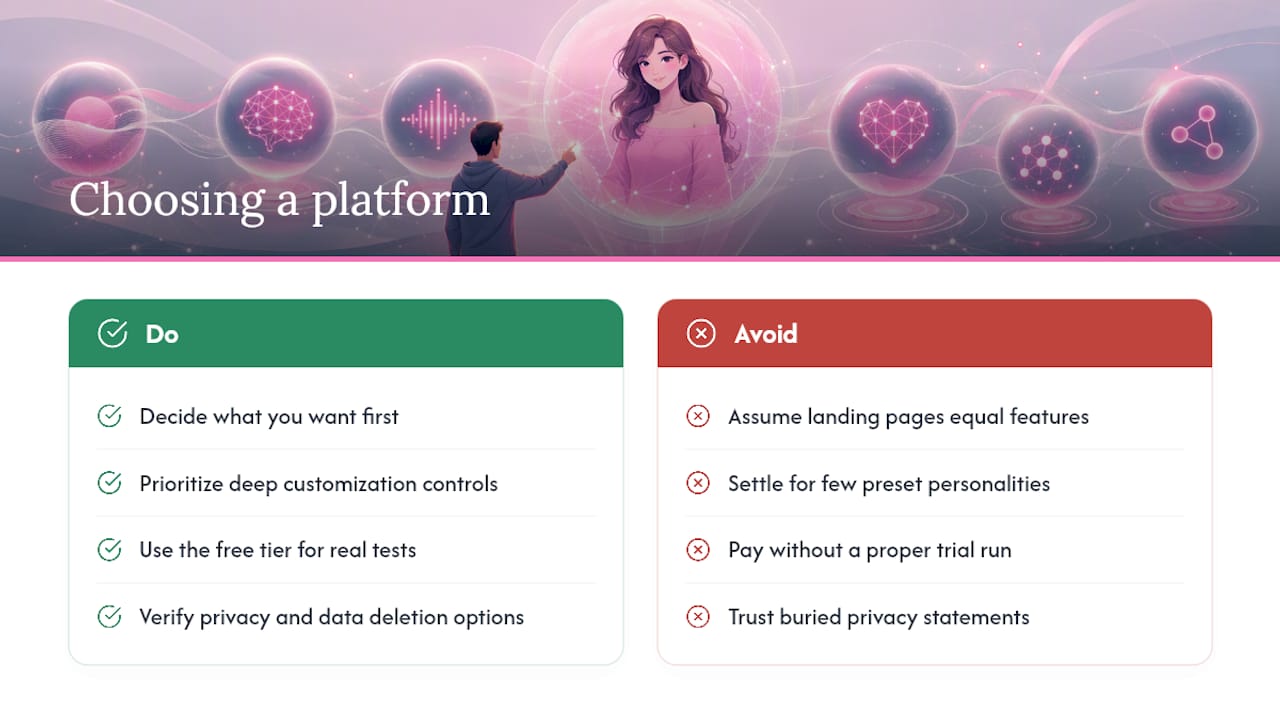
Start with what you actually want out of the experience, because platforms specialize differently even when their landing pages look similar. Someone who wants deep text-based roleplay has different priorities than someone who wants daily voice calls.
Check the customization depth before anything else. A platform limiting you to five preset personalities will frustrate you fast if you want a specific backstory and tone. Look for granular controls over appearance, voice, and personality fields, not just a handful of templates.
Test the free tier seriously before paying for anything. A real trial run, building a persona and running a few conversations, tells you more about whether the chemistry works than any feature list. If a platform makes its free tier deliberately unusable to force an upgrade, treat that as a signal about how the paid tiers are priced too.
Confirm privacy practices directly rather than assuming. Look for clear statements about what gets stored, whether you can delete conversations and images, and whether data stays private by default. A platform that buries this information is worth skipping regardless of how good its demo looks.
Finally, weigh feature breadth against focus. Some platforms lean heavily into 3D avatars and extensions, like the customizable companion tools CODE27 documents, while others focus tightly on conversation and voice presence. Neither approach is wrong. Match it to what you are actually building this for.
Building a Character, Not a Template
Here’s what gets underestimated constantly: the personality work you do in the first ten minutes matters more than any feature toggle you flip afterward. A companion built from a real backstory, not a generic archetype, is the one people keep coming back to.
That is not a guess. It tracks with what design research on companion retention keeps finding. Skip the template, write three specific facts about her, and let a short chat tell you what to fix next. Iterate. Do not aim for perfect on the first try.
— Pierce
Ready to Build Yours on Mydreamgirlfriend?
This platform runs the workflow the article just walked through, minus the guesswork of piecing tools together yourself. Pick a style, shape her appearance, choose a voice, write her backstory, and turn on memory, all in one creator screen instead of stitching together separate apps for chat, voice, and images.
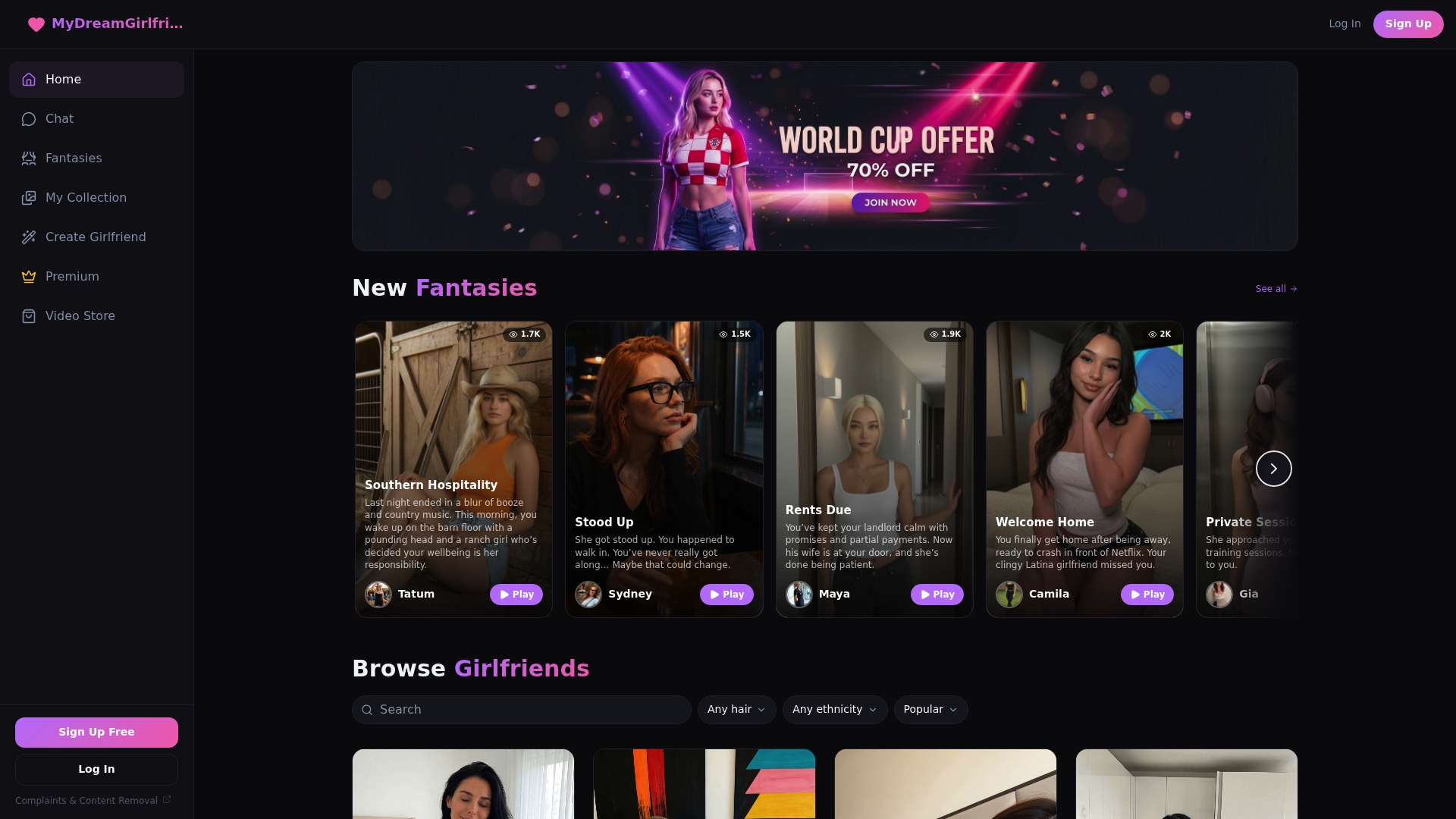
The platform’s feature set lines up directly with what matters for presence and chemistry: a full character creator for appearance and personality, voice calls for real conversation instead of just text, private image generation, and memory that carries details forward instead of resetting every session. If you want a specific persona to start from rather than building completely from scratch, browse premade companions or check out a focused option like the AI Mistress persona for a ready-made starting point.
Start free, build a persona quickly, and see how it feels after a real conversation before you decide on anything else.
Sources
- Starter kit: How to create an AI companion
- How to Create a Virtual AI Girlfriend with ZEGOCLOUD
- CODE27 Customizable 3D AI Companion Hub
- Why 90% of AI Companions Will Be Forgotten — Call The Design Guy
- Behind the Design: How We Made AI Feel Alive | Pophie Blog
FAQ
How Long Does It Take to Create an AI Girlfriend?
Building the initial persona, appearance, voice, and personality typically takes a short period of time on most creator platforms, though refining her through actual conversation continues over your first few sessions.
Is It Free to Create an AI Girlfriend?
Most platforms offer a free tier with basic chat functionality, while advanced features like voice calls, unlimited image generation, and extended memory are usually part of paid subscriptions.
What Should I Customize First When Building an AI Girlfriend?
Start with style and appearance, since that sets the tone for everything after, then move to voice and personality before finalizing memory settings.
Can I Change My AI Girlfriend’s Personality After Creating Her?
Yes. Nearly every creator platform lets you reopen persona fields, backstory details, and voice settings at any time, so refining her after a few real conversations is expected, not a workaround.
Is Data From My AI Girlfriend Conversations Private?
Reputable platforms store conversation and media data privately by default and offer settings to view, edit, or delete it, but you should confirm each platform’s specific storage and deletion policy before sharing anything sensitive.