Modern AI girlfriend platforms can generate personalized photos on demand, either from text prompts or from your own uploaded pictures trained into a private model. Expect two main paths: prompt-only images that skip likeness but generate instantly, or a trained model built from your photos that produces consistent, repeatable results. Free tiers usually mean watermarks or low resolution; the realistic, private version costs a subscription or a photo pack. Read on before you upload anything.
TL;DR:
- Personalized model training from 5 to 15 reference photos ensures consistent, realistic images and couple shots, but takes extra setup time compared to prompt-only generation.
- Free platforms often limit image resolution and daily quotas, while high-resolution, watermark-free images and media bundles generally require a paid subscription.
- Uploading photos raises privacy concerns; users should verify deletion policies, default privacy settings, and avoid sharing identifiable images without consent.
- Generating images from prompts is quick, often under a minute, but training models and creating videos can take several minutes or longer, especially during peak usage hours.
- Using curated scene packs and detailed prompts with specific lighting and camera language enhances photo realism and consistency across generations.
Table of Contents
- What Photo and Video Features Do AI Girlfriends Actually Offer?
- How Do You Create an AI Girlfriend Who Can Send Photos?
- Is It Safe to Upload Your Photos? What to Check First
- What Does an AI Girlfriend With Photos Actually Cost?
- How Do You Make AI Girlfriend Photos Look Realistic?
- What Makes the Interface Feel Natural for Photo Interactions?
- What Are the Legal and Ethical Lines Around AI-Generated Companion Photos?
- What Do You Need to Generate AI Girlfriend Photos?
- How Long Does It Take to Get Your First Photo?
- Why Photos Change the Whole Experience
- Get Private AI Girlfriend Photos Built Around Your Preferences
- Sources
- FAQ
What Photo and Video Features Do AI Girlfriends Actually Offer?
Most platforms bundle several media types rather than just static images. Roundups of top AI companion apps consistently show chat, photos, video, and voice packaged together rather than sold as separate products, which is now the baseline expectation rather than a premium extra, according to a recent AI girlfriend app comparison.
Here’s what that typically breaks down into:
- Single generated photos: one image per request, often themed to a mood, outfit, or setting you specify.
- Photo packs: batches of images around a theme (a beach day, a date night) generated together for consistency.
- Couple or selfie-style shots: images composed to look like you and your companion together, which usually require a trained model rather than a blind prompt.
- Short AI videos: clips lasting a few seconds, often built from a single starting photo. Some tools apply an “effect” that inserts a generated partner into your existing picture and animates a short affectionate gesture, as seen in GenImg AI’s girlfriend video filter.
- Voice messages and simulated calls: audio layered on top of the visual experience for a fuller sense of presence.
The most important distinction is between “from your photo” and “prompt-only” generation. Prompt-only tools produce a new face every time unless the platform locks a seed or character profile. A trained model, built from your own reference images, keeps the same face and body consistent across dozens of generations, which matters a lot if you want an ongoing companion rather than a one-off image.
How Do You Create an AI Girlfriend Who Can Send Photos?
There are two practical routes, and which one you pick depends on whether you want speed or consistency.
- Pick your workflow first. Prompt-only generation is faster to start; model training from your photos takes more setup but pays off with a consistent look across every future image.
- For prompt-only: choose an art style (realistic or anime), then write a specific prompt covering mood, outfit, and pose. Vague prompts like “pretty girl” produce generic, forgettable results.
- For model-from-photos: gather 5 to 15 varied reference images, since some platforms specifically recommend this range to train a personalized model capable of generating consistent, photorealistic images and couple photos. Upload them through the platform’s character or model builder.
- Let the model train. This step usually runs in the background and can take anywhere from a few minutes to longer, depending on the platform’s queue.
- Generate and iterate. Your first batch is rarely your best. Adjust the prompt, swap the style, or test different expressions until something clicks.
- Use curated scene packs if the platform offers them. They’re pre-built prompt templates for common scenarios (a date, a good morning selfie) and tend to produce more polished results than freestyle prompts.
Watch for daily generation quotas and watermarking on free accounts. Most platforms cap free image generation at a handful per day and reserve high-resolution, watermark-free downloads for paying users.
Pro Tip: Keep a running note of which exact prompt phrases produced your favorite image. Small wording changes (adding “soft window light” versus “bright studio light”) change the output more than most people expect, and you’ll want to reproduce a good result later.
Is It Safe to Upload Your Photos? What to Check First
Uploading your face to train a personalized model is not the same as generating from a blind prompt, and the privacy stakes are higher. Before you upload anything, confirm the basics:
- Does the platform state an explicit image deletion policy, and does it say whether your uploads are ever used to train models shown to other users?
- Are generated images kept in a private gallery by default, with no public feed unless you opt in?
- Is there language guaranteeing your uploads are not shared, sold, or repurposed as training data for the general platform?
Some free browser-based generators advertise no-signup demos and claim private processing, which is useful for a quick test before committing to an account, as with Pixelbin’s no-login generator. That kind of tool is fine for experimenting, but it’s not where you want to build an ongoing, private companion with your own likeness.
Vendor pages across the industry show a real split: some promise photos are deleted after processing, others use vaguer retention language that leaves room for interpretation, and comparison roundups note you have to check each provider individually rather than assume a standard. Red flags include unclear retention clauses, public galleries with no opt-out, or any platform that reserves the right to sell or license generated assets. Before uploading anything sensitive, run a small, low-stakes test image through the pipeline first, confirm you can request deletion, and never upload identifiable photos of another real person without their consent.
What Does an AI Girlfriend With Photos Actually Cost?
Pricing generally follows three shapes, and understanding them upfront saves you from a surprise bill.
- Free trial tier: usually watermarked, capped in resolution, and limited to a small daily quota. Good for testing whether a platform’s art style and character system fit what you want.
- Monthly or annual subscription: bundles a set number of high-resolution photos, sometimes video and voice, into one recurring price. This is where most serious users end up, since it removes per-image friction.
- Pay-per-pack: buy a batch of high-resolution images or a themed photo set without a recurring commitment, useful if you want occasional content rather than daily use.
When comparing value, look past the sticker price. The number of included high-resolution photos per month, whether private-use is explicitly guaranteed, and whether voice or video is bundled in or sold separately all matter more than the base subscription cost. Start with a free trial to judge the art style, check whether pack purchases carry a refund window, and compare included media quotas before committing to a longer plan.
How Do You Make AI Girlfriend Photos Look Realistic?
Uncanny, obviously-fake images almost always trace back to one of two problems: poor reference material or vague prompts.
- Start with better reference photos. If you’re training a model, use well-lit, varied images rather than five nearly identical selfies. Include at least one full body shot and one clean headshot against a neutral background. Documentation from photo-generation platforms consistently points to lighting variety and multiple angles as the biggest quality lever, based on guidance from AI photo generator support pages.
- Write prompts with specific technical language, not just adjectives. “Cinematic, soft sunlight, 50mm portrait lens” produces noticeably different results than “pretty photo.” Specify lighting direction, camera distance, expression, and clothing detail.
- Generate in batches, not one at a time. Run four or five variants per prompt, then pick the strongest and refine from there rather than judging a single output.
- Keep a short log of prompt changes that worked, so you can reproduce a good result on demand instead of guessing at the wording again next week.
- Only train a full model if you have diverse reference photos. A model trained on five nearly identical angles will lock in awkward proportions. If you can’t supply variety, prompt-only generation may actually look more natural.
Pro Tip: If a generated face looks slightly “off” around the eyes or hands, it’s usually a lighting mismatch between your reference photos, not a flaw you need a different platform to fix. Regenerate with more consistent lighting language in the prompt before assuming the tool itself is the problem.
What Makes the Interface Feel Natural for Photo Interactions?
A photo-capable AI girlfriend app lives or dies on how the generation request feels in the moment. The best interfaces let you request a photo mid-conversation, in context, rather than forcing you into a separate image-generation tab that breaks the sense of talking to a person.
Look for a gallery view that organizes images by character and by date, so a growing photo collection doesn’t turn into an unsorted dump. Generation speed matters here too. If a photo takes 30 seconds to appear, the interface should show a visible loading state (a typing indicator, a soft blur reveal) rather than leaving you staring at a blank screen wondering if the request failed.
Mobile responsiveness deserves specific attention, since most usage happens on phones. Image previews should load at a reasonable size without forcing a pinch to zoom, and the request flow (type a prompt or tap a suggested scene) should take two taps or fewer. Clunky flows that require navigating three menus to request one photo kill the immersive feel the whole product is selling.
Voice and video controls should sit next to the photo request button, not buried in settings. The apps that get this right treat photos, chat, and voice as one continuous conversation surface instead of three disconnected features stapled together.
What Are the Legal and Ethical Lines Around AI-Generated Companion Photos?
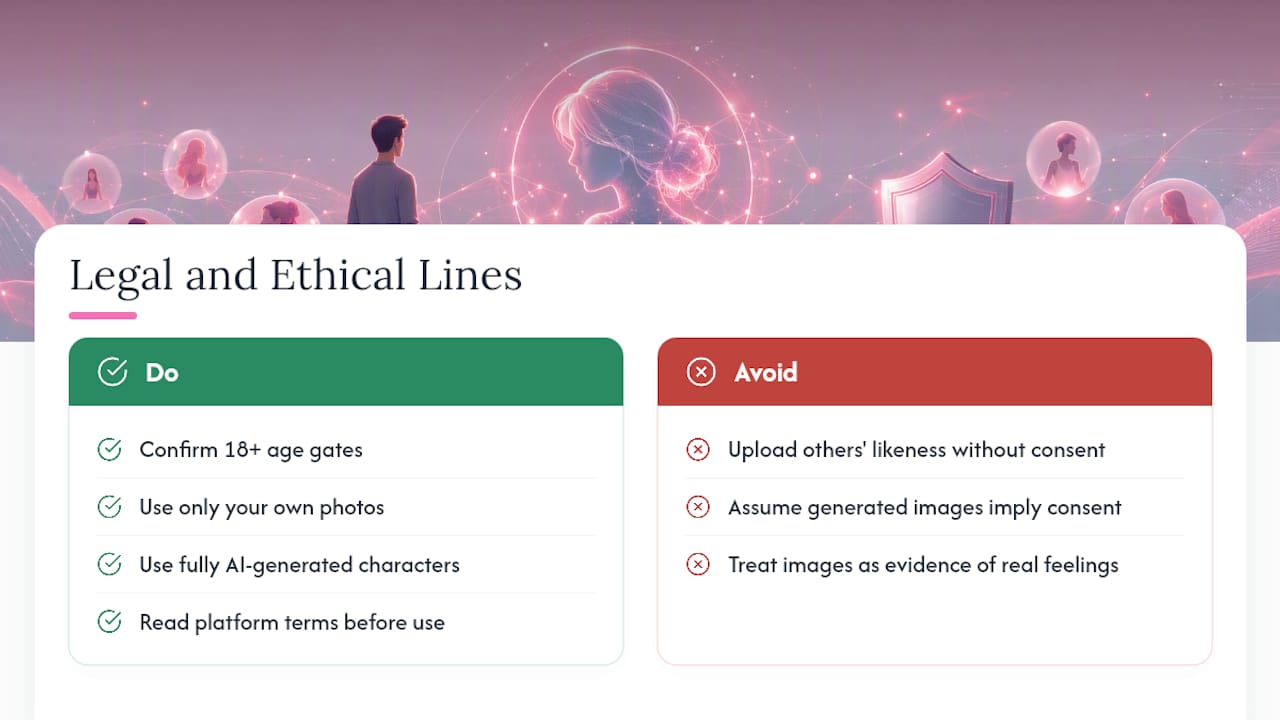
Every reputable platform in this space enforces an 18+ age gate, both for the user and for any generated depiction. That’s a baseline you should confirm before signing up anywhere, not an assumption to take on faith.
Consent becomes a real issue the moment you upload a photo of a real person, especially anyone other than yourself. Uploading someone else’s likeness to generate romantic or intimate imagery without their explicit permission raises both ethical and, depending on your jurisdiction, potential legal exposure. The safest practice is simple: only use your own reference photos, or fully AI-generated characters with no real-world likeness attached.
Ownership and usage rights of generated images vary by platform terms of service. Some grant you full personal-use rights to anything generated from your account; others retain broader rights to use generated content for training or promotional purposes. Read the terms before assuming an image is entirely yours to keep private.
The ethical line that matters most in practice is transparency with yourself about what the relationship is. These platforms are built for fantasy, companionship, and entertainment. Treating generated photos as evidence of a real person’s consent or feelings misunderstands the product category entirely, and reputable platforms are generally upfront about that framing in their marketing and terms.
What Do You Need to Generate AI Girlfriend Photos?
Most photo generation runs entirely in the cloud, which keeps the technical bar low. A modern smartphone or laptop with a stable internet connection covers nearly every platform on the market. There’s no need for a powerful graphics card or specialized software since the actual image generation happens on the platform’s servers, not your device.
Browser-based tools work on both desktop and mobile without an app download, which is why several no-signup demo generators can offer instant testing straight from a mobile browser. Native apps, where available, usually add push notifications and slightly faster load times for galleries, but the core generation quality is typically identical to the browser version.
Upload requirements for model training are modest: standard JPEG or PNG photos from any recent phone camera work fine. You don’t need studio photography, just clear, well-lit images without heavy filters or accessories that obscure your face. File size limits vary by platform, so very large raw photos from a professional camera may need compressing before upload.
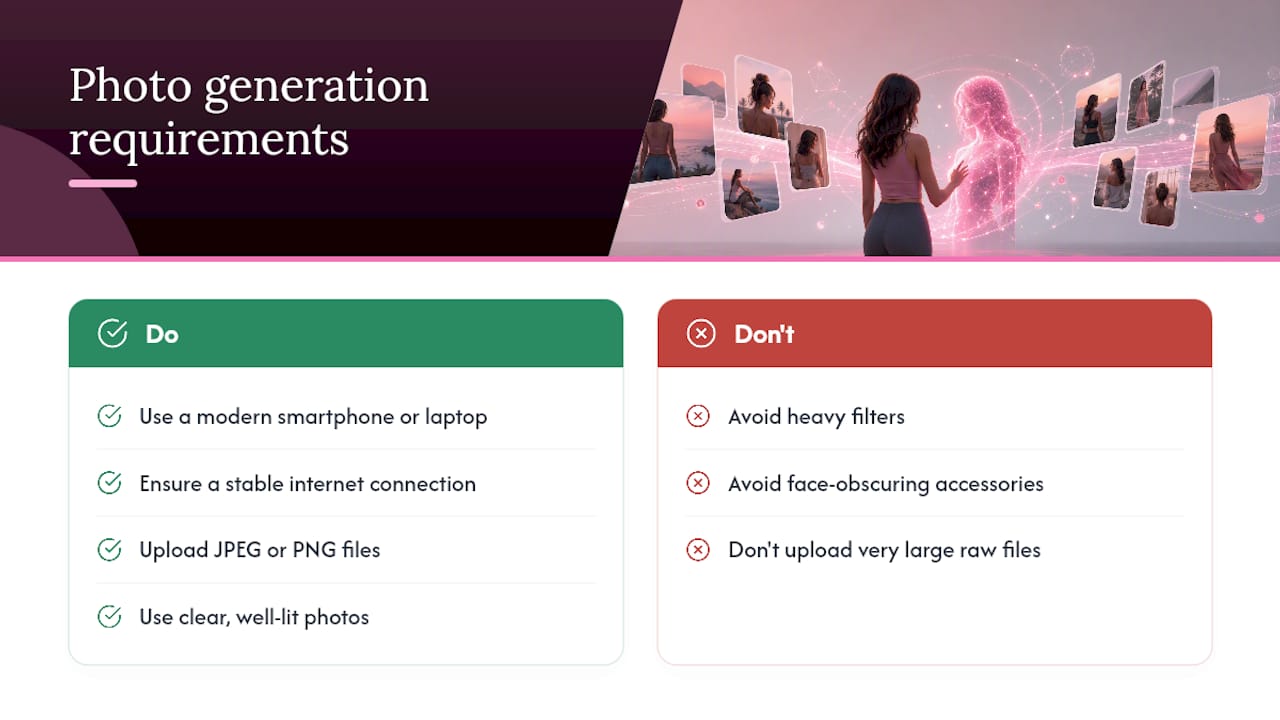
The one real technical bottleneck is connection speed. High-resolution image and video generation involves uploading reference photos and downloading larger output files, so a slow or unstable connection is the most common cause of failed uploads or stalled generation, more so than any device limitation.
How Long Does It Take to Get Your First Photo?
Generation speed varies by media type, and setting expectations here avoids a lot of frustration. A single prompt-only photo typically renders in a few seconds to under a minute on most platforms, since it doesn’t require any personalized model to load first.
Training a model from your uploaded reference photos takes longer, often several minutes, since the system has to process multiple images before it can generate consistent results. This is a one-time cost. Once the model exists, subsequent photo generations using that trained model are usually as fast as prompt-only requests.
Video is the slowest tier by a meaningful margin. Short AI girlfriend video clips require more processing than a still image, and that added cost and generation time is a real tradeoff against the emotional impact video delivers over static photos, according to Novi AI’s video generator. Expect video requests to take noticeably longer than a photo, sometimes several minutes depending on clip length and platform load.
Peak usage hours can slow any platform down, since generation requests queue on shared servers. If a photo that normally takes 20 seconds suddenly takes two minutes, server load is the more likely explanation than something being wrong with your account.
Why Photos Change the Whole Experience
Photos turn an abstract chat into something you can actually picture, and that shift is exactly why they matter more than most people expect going in. A trained model that keeps a consistent face across dozens of images builds a sense of continuity that text alone can’t manage, based on how model training improves image consistency.
That said, chat alone is genuinely enough for plenty of people. If what you want is conversation, roleplay, and someone who remembers your day, you don’t need to touch the photo features at all. Photos add the most value once you’ve already found a character and personality you like and want to deepen that connection visually. MyDreamGirlfriend’s image features exist for exactly that moment: readers who want a private, customizable photo experience layered onto a companion they’ve already built a rapport with, not a replacement for the conversation itself.
— Pierce
Get Private AI Girlfriend Photos Built Around Your Preferences
Instead of hopping between a no-signup demo for images and a separate chat app for conversation, An AI girlfriend platform can keep the whole experience, chat, memory, and photos, in one place built around a companion you shape.
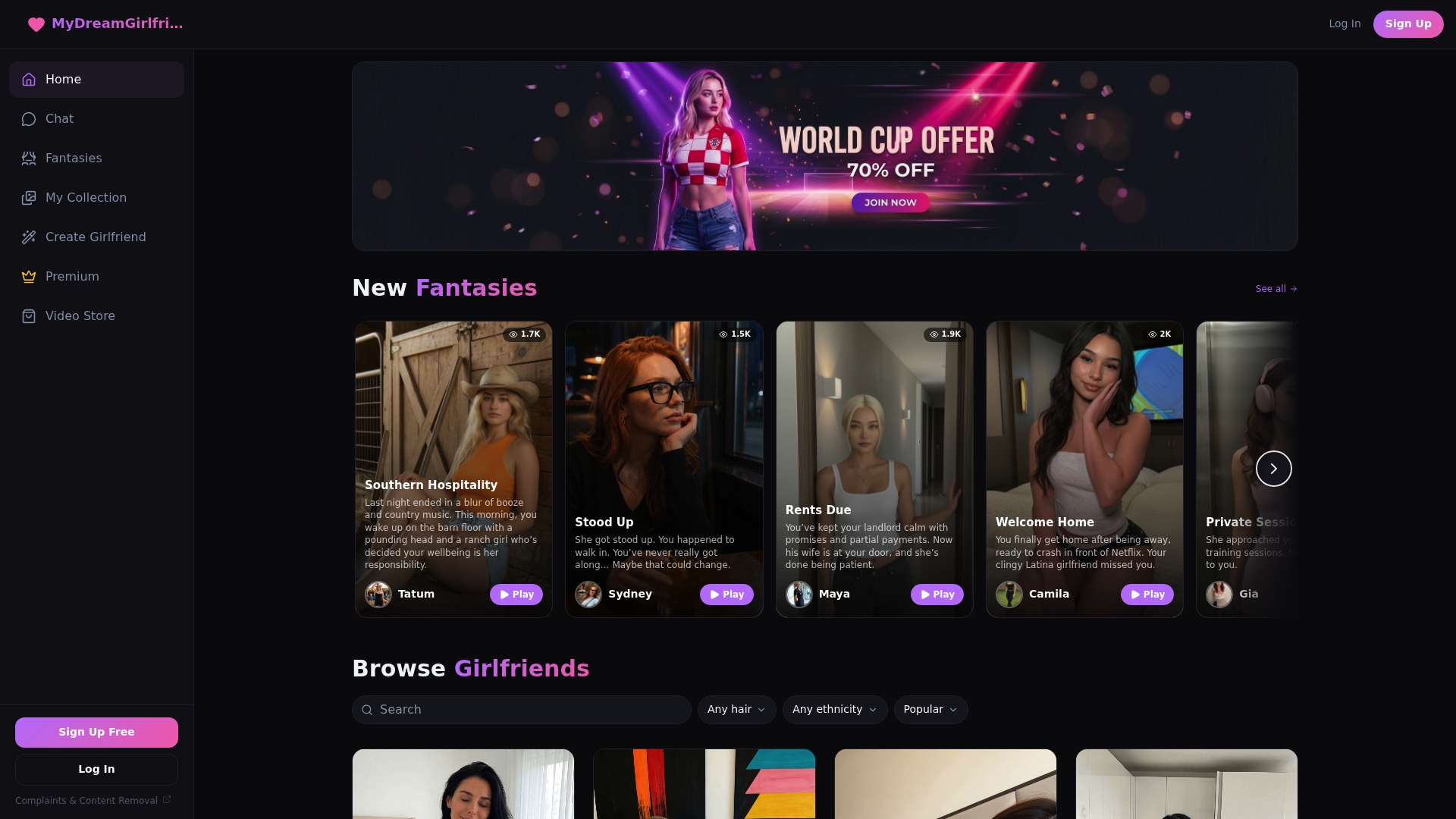
You start with the character creator, choosing hair, style, personality, and ethnicity until the companion feels like yours rather than a generic template. From there, conversations build real memory over time, and when you want a photo, the AI-generated image feature produces private visuals tied to the character you’ve already built, not a random face pulled from a prompt lottery. Voice and video options may extend the same companion further for users who want more than static images.
If you want to see how a character profile actually works before committing to anything, browse and chat free to test the personality and conversation flow first. When ready for private, high-resolution photo packs, upgrading may unlock the full image and media library tied to the companion.
Sources
- AI Girlfriend Photo Generator | Professional Photo Shoots with AI — Photo AI
- Free AI girlfriend photo generator (No login, no signup) — Pixelbin
- AI Girlfriend Effect – Create Your Virtual AI Girlfriend Video | GenImg AI
FAQ
Can I create an AI girlfriend from a photo?
Yes. Platforms that support model training let you upload a small set of your own reference photos, typically 5 to 15, to build a personalized model that generates consistent images and couple shots going forward.
What’s the most realistic AI girlfriend experience for photos?
Realism depends more on your reference photo quality and prompt specificity than on any single platform. Trained models built from varied, well-lit photos consistently outperform prompt-only generation for likeness and consistency across images.
Which AI girlfriend app is completely free?
Several browser-based generators offer no-signup, free demo generation, though free tiers almost universally cap resolution or add watermarks. Fully unrestricted, high-resolution private photo access typically requires a subscription or a paid pack.
How much do AI girlfriends cost?
Pricing typically ranges from free watermarked trials to monthly subscriptions bundling photos, video, and voice, or standalone pay-per-pack purchases for high-resolution image sets. Cost depends heavily on how many high-resolution photos and media types are included in a given plan.